For an attendee, a webinar can look remarkably simple.
They register, receive an email, click a link and watch a presenter speak. Perhaps they answer a poll or submit a question. An hour later, they close the browser and carry on with their day.
Behind the scenes, there is considerably more going on.
Registration, emails, presenter preparation, moderation, audience interaction, reporting and on-demand content all form part of delivering that one live session.
Whether you're running an occasional webinar or managing a full digital event programme, here's what is actually happening behind the scenes.
Before the webinar: registration and communication
The webinar experience starts before anybody enters the live session.
Your registration page is often the first interaction someone has with the event, so deciding what information you actually need matters. A name and email address might be enough for one webinar. Another might require job role, organisation or other information that will be useful for reporting and follow-up.
The aim is to collect what you need without creating unnecessary friction.
Once someone registers, the next job is getting them to attend.
Confirmation emails, reminders and joining instructions keep attendees informed between registration and the live date. For teams running webinars regularly, automating these communications as part of the event workflow can remove a significant amount of repetitive administration.
And if you're running a series or multi-session event, think about the experience as a whole. Making someone complete separate forms and navigate different joining processes for every session quickly becomes frustrating.
Getting presenters ready
While attendees are receiving reminders, another important piece of preparation is happening behind the scenes.
Your presenters need to know how the session will work.
Even experienced speakers may be unfamiliar with your webinar setup, which is why a technical check or rehearsal can be so useful. It gives everyone an opportunity to test microphones, cameras, screen sharing and media while becoming familiar with the studio before an audience arrives.
It is also the time to establish roles.
Who introduces the session? Who launches the polls? Who monitors Q&A? Who keeps an eye on timings? What happens if the presenter's internet connection disappears halfway through?
Answering those questions beforehand means there are fewer decisions to make while you're live.
And not everything necessarily needs to happen live. If a speaker isn't available on the event date, their contribution can be pre-recorded. A session can also run as simulive, combining pre-recorded presentation content with live elements such as introductions and Q&A.
The format can adapt to the people involved rather than the entire event depending on everyone being available at exactly the same time.
What the audience doesn't see during the live session
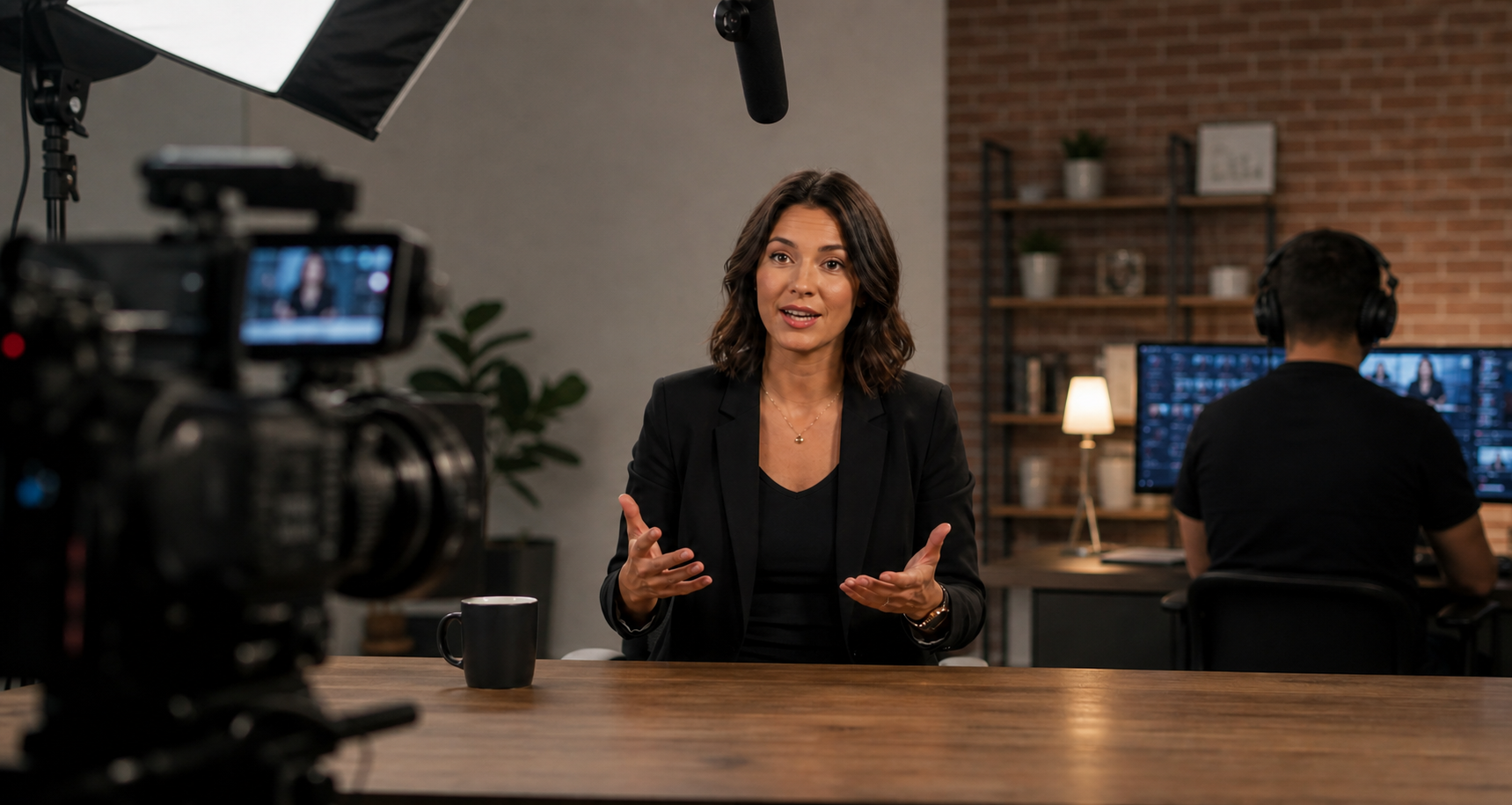
Once the webinar starts, there are effectively two experiences taking place.
There is what the attendee sees: presenters, slides, video, polls and questions.
Then there is the production happening behind it.
A moderator or producer might be communicating with presenters, monitoring incoming questions, launching polls, keeping an eye on timings and dealing with anything unexpected.
That separation allows presenters to focus on their subject rather than trying to present and produce the webinar simultaneously.
It also gives you more flexibility when something doesn't go to plan.
Internet connections drop. Presenters accidentally mute themselves. Someone shares the wrong screen. A video refuses to play.
You can't eliminate every risk from a live event, but preparation and clearly defined roles make those moments much easier to manage without disrupting the audience experience.
Polls and Q&A are useful beyond the live hour
Audience interaction isn't only about keeping people engaged.
It can tell you something.
Polls can test understanding, gather opinions or help you learn more about the people watching. Q&A can reveal which parts of a topic need more explanation and what your audience wants to hear about next.
Those signals become particularly useful when you stop looking at webinars as isolated events.
A question that repeatedly appears in Q&A could become another webinar. A poll result could inform a follow-up article. A topic generating unusually high engagement might deserve a deeper session.
The interaction happening during your webinar can help shape the content that comes afterwards.
What happens after everyone leaves?
When the presenter says goodbye, you're left with two particularly valuable things: data and content.
Your reporting can show who registered, who attended, how long they stayed and how they interacted with the session.
Exactly what matters depends on the purpose of the event. A marketing webinar might focus on attendance and engagement. Training or CPD may require evidence of participation. Internal communications teams might be interested in reach across departments or locations.
Then there is the webinar itself.
Making the recording available on demand gives people another opportunity to access the content, but simply uploading an hour-long video doesn't necessarily make it useful.
Captions improve accessibility. Chapters help viewers find relevant sections. Transcripts make discussions easier to locate and give your team another way to work with the content.
AI can also help with that process. A webinar transcript can be analysed to identify key takeaways, recurring themes and potential moments for shorter promotional clips. Those suggestions still need human review, but they can make finding valuable moments in a long recording considerably faster.
One webinar can therefore leave you with far more than an attendance figure and a video file.
Your webinar platform should make the process easier
There are a lot of moving parts behind a webinar, but managing them shouldn't require a collection of disconnected systems.
When registration happens in one place, emails in another, the webinar somewhere else and recordings on a separate platform, the work quickly adds up.
At WorkCast, we've built the platform to support the wider event journey.
Teams can manage registration and communications, host presenters, deliver live, pre-recorded and simulive sessions, use polls and Q&A, access reporting and make content available on demand.
Because while your audience might only see an hour-long webinar, your team is managing everything that makes that hour possible.
The technology should make that job easier.


.png?width=2380&height=2380&name=%E2%80%9CClick%20here%E2%80%9D%20to%20view%20our%20open%20uni%20handbook%20(1).png)