Most webinars do not lose people at the end. They lose them at minute twelve. The slides load, the host says hello, and then attention quietly drains away while your audience checks email in another tab.
Engagement tools exist to close that gap. But the market is noisy, and it is easy to bolt on a dozen shiny features that add friction without adding value. The question worth asking is simple: which tools actually keep people watching, and which just look good in a feature list?
Here is a practical breakdown.
What are attendee engagement tools?
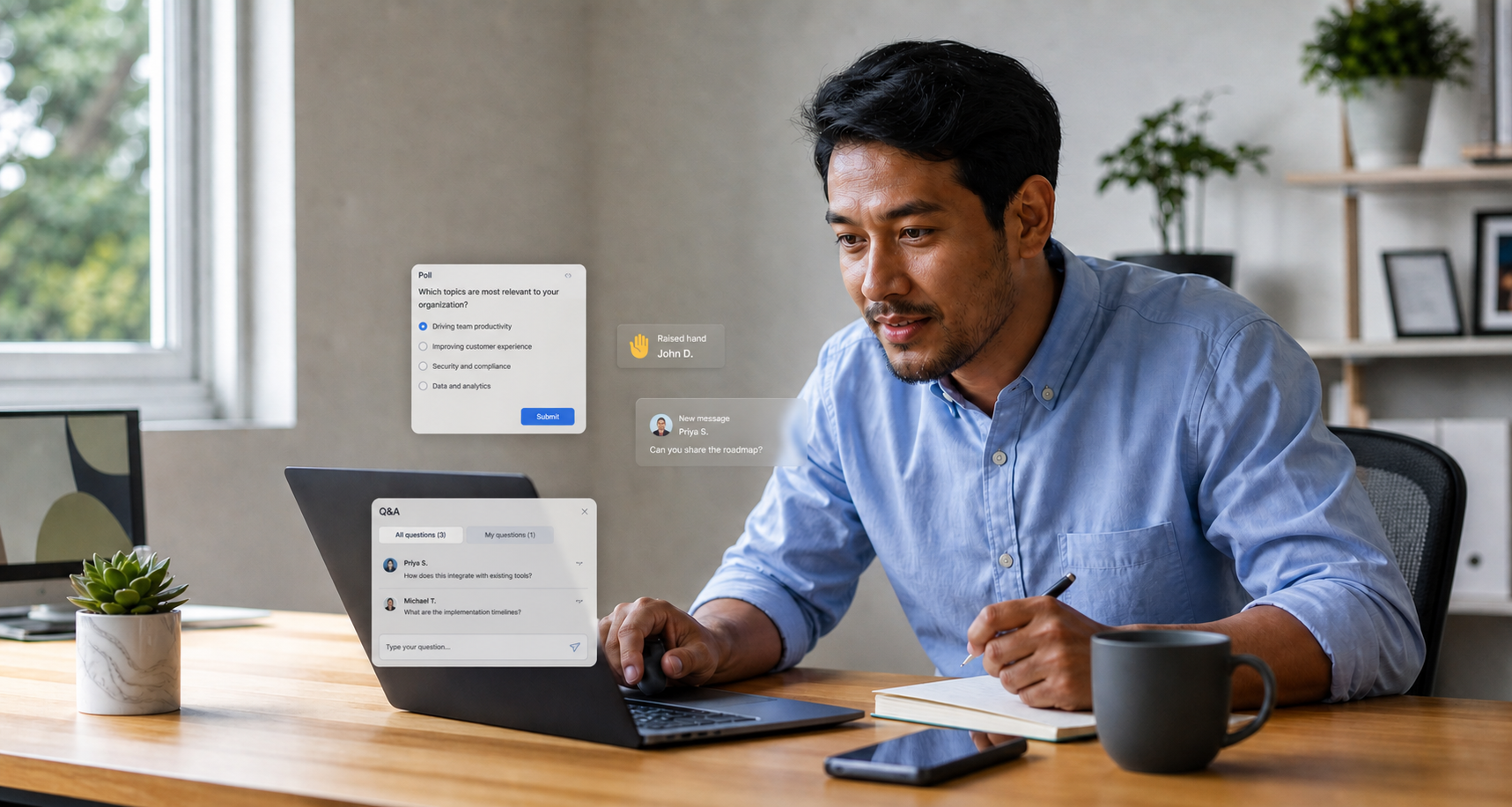
Attendee engagement tools are the interactive features inside a webinar or virtual event platform that let your audience do something other than passively watch. That includes live chat, Q&A, polls, quizzes, reactions, downloadable resources, networking rooms and meeting booking.
The point is not novelty. The point is participation. Every moment an attendee acts, they invest a little more attention, and attention is the currency your whole event runs on.
Why does engagement matter more than attendance?
A full registration list flatters you. Watch time tells the truth.
An attendee who joins, sits in silence and leaves after ten minutes counts as an attendee, but they have learned nothing and remembered less. Engagement is the difference between someone being present and someone being reached.
It also matters commercially. Engaged attendees stay longer, respond to your calls to action, and give your sales and marketing teams the behavioural signals they need. A poll answer, a resource download or a question asked is worth far more than a name on a list.
Which engagement tools are worth using?
Not everything belongs in every event. Match the tool to the job.
Live Q&A. The single highest-value tool for most webinars. It makes your audience feel heard and gives your speaker direction. Let people upvote questions so the best ones rise to the top rather than getting lost in a scroll.
Polls and quizzes. Fast, low-effort participation that also generates data. A well-placed poll early in a session breaks the passive spell and tells you who is actually paying attention.
Live chat. A running conversation among attendees builds a sense of a shared room. Moderated well, it creates energy. Left unmoderated, it becomes a distraction, so assign someone to steer it.
Reactions and emojis. Small but useful. They give your audience a way to respond without typing, and they give your host a live read on the mood.
Downloadable resources. A handout, a template or a slide deck offered in the moment turns interest into a tangible next step.
Networking and meeting booking. For larger virtual events, letting attendees connect with each other or book time with your team on the spot removes friction from the most valuable outcome of all.
How do you use engagement tools without overwhelming people?
More is not better. A screen crowded with pop-ups, prompts and notifications competes with your own content for attention.
A few rules keep it clean:
- Plan the interaction points. Decide in advance where a poll or a Q&A prompt belongs. Aim for a moment of participation roughly every five to seven minutes rather than a constant barrage.
- Assign roles. Have a host who presents and a moderator who manages chat and questions. One person cannot do both well.
- Prime the audience. Tell people at the start how to ask a question or vote. Confused attendees do not engage, they disengage.
- Follow through live. If someone asks a question, answer it. If you run a poll, share the result. Interaction that goes nowhere teaches people to stop bothering.
What data should you capture from engagement?
Engagement tools are also measurement tools, and this is where many teams leave value on the table.
Track watch time and drop-off points to see exactly where attention slips. Log poll responses and quiz answers to understand what your audience believes or needs. Capture which questions were asked, which resources were downloaded and who requested a meeting.
Feed that behavioural data back into your follow-up. An attendee who downloaded your pricing guide and stayed to the end deserves a different email from someone who dropped off after the intro. Engagement data lets you personalise at scale instead of blasting the same message to everyone.
Do smaller events need engagement tools too?
Yes, and arguably more so. In a smaller session there is nowhere to hide, so a flat, one-way broadcast feels especially lifeless. The good news is that small audiences make real interaction easier. You can genuinely answer most questions, name-check contributors in chat and run a conversation rather than a lecture.
The tools scale down gracefully. A single poll and an open Q&A can transform a modest internal update or a niche product briefing into something people actually remember.
Bringing it together
Engagement is not a gimmick you add at the end. It is designed in from the first outline, planned around your content, run by a prepared team and measured afterwards to make the next event sharper.
Get that right and the numbers follow: longer watch times, better questions, warmer leads and audiences who come back.
At WorkCast, we build engagement tools like live Q&A, polls, chat and resource sharing directly into our webinar and virtual event platform, so participation feels natural rather than bolted on. If you are planning your next event and want it to hold attention from minute twelve to the very end, we would be glad to show you what that can look like.
.png?width=2380&height=2380&name=%E2%80%9CClick%20here%E2%80%9D%20to%20view%20our%20open%20uni%20handbook%20(1).png)
Share this
Attendee Experience Optimization: How to Design Events People Actually Remember

The Silence Problem: Why Most Webinar Audiences Are Just Watching the Clock