

Pre-recorded webinars can give teams more control over what happens before an important event reaches its audience.
For Financial Services teams, that can be particularly useful when content needs to be reviewed ahead of broadcast, several stakeholders are involved in the approval process, or a senior speaker simply isn’t available at the exact time you want to go live.
Pre-recording also doesn’t mean losing the interaction of a live webinar. With a Simulive webinar, your presentation can be recorded in advance and broadcast at a scheduled time, while your team can still engage with the audience through features such as Q&A and polls.
In this blog, we’ll look at the benefits of pre-recorded webinars, how Simulive works, and where pre-recording can give Financial Services teams more flexibility and control.
Why pre-record a webinar?
There are plenty of reasons why a completely live webinar might be the right choice. There are also situations where recording some or all of your content beforehand can make the process much easier.
Pre-recording gives your team time to prepare, review and refine the presentation before it reaches your audience, while reducing some of the pressure that naturally comes with delivering everything live.
More control over your webinar content
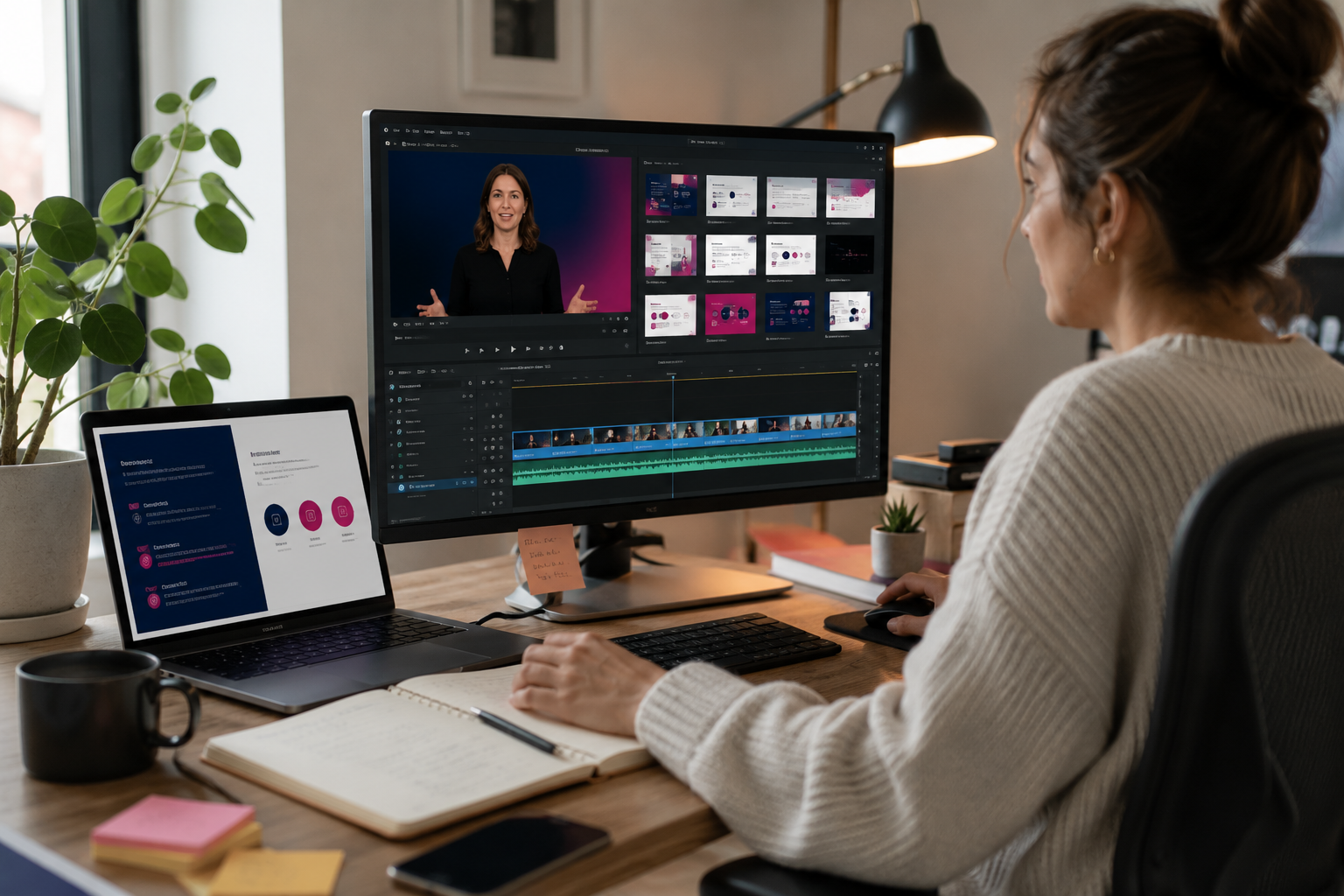
One of the biggest benefits of pre-recording a webinar is having more control over the final presentation.
Rather than relying on everything going exactly to plan on the day, presenters can record their content ahead of time. Your team then has an opportunity to review the recording, make any necessary changes and prepare the final version for broadcast.
This can also help with brand consistency. Presentations, speakers and supporting content can all be checked before the event, giving teams greater confidence in what their audience will eventually see.
Reduce the pressure of a live webinar
Live webinars have plenty of advantages, particularly when real-time conversation is central to the event. But not every part of a webinar needs to happen live.
Pre-recording can reduce some of the pressure around presenter availability, delivery and last-minute changes.
If a senior speaker is available to record on Tuesday but the webcast is scheduled for Thursday, for example, the presentation can still go ahead without requiring them to be available at the time of broadcast.
It also gives presenters another opportunity to record sections they aren’t happy with rather than having to get everything right first time.
Make content review and approval easier
For Financial Services teams, there may be several people involved in reviewing content before it is shared externally.
Pre-recording creates more time for that process.
Instead of reviewing slides or scripts alone, stakeholders can see the presentation as the audience will experience it and identify anything that needs changing before the scheduled broadcast.
That can create a much more manageable workflow:
Record • Review • Approve • Broadcast
It means approval can become part of the planning process rather than something happening at the last minute.
What is a Simulive webinar?
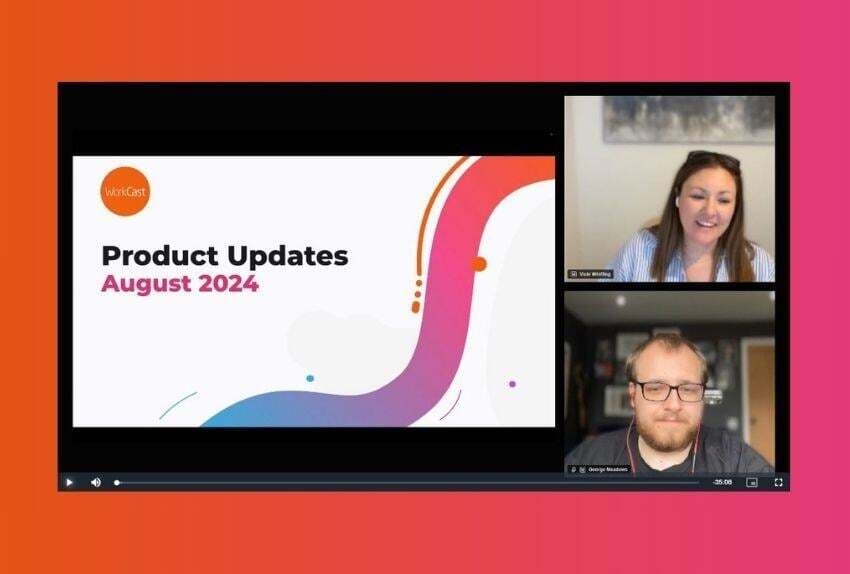
A Simulive webinar combines pre-recorded presentation content with elements of a live event.
The main presentation is recorded in advance and then played to the audience at a scheduled time. While that content is being broadcast, your team can still be present to interact with attendees.
This gives organisations a useful middle ground between a completely live webinar and a standard on-demand recording.
Your speakers can prepare the main presentation in advance, while the audience still joins at a specific time and experiences the event together.
Can a pre-recorded webinar still be interactive?
Yes. Pre-recording the presentation doesn’t mean your audience has to sit and passively watch a video.
When pre-recorded content is delivered as a Simulive webinar, interactive elements can still form part of the experience.
Live Q&A
Your team can be available during the broadcast to respond to audience questions, even if the presentation itself was recorded beforehand.
This can be particularly useful when presenters need more control over the core presentation but the organisation still wants to create an opportunity for conversation with the audience.
Questions can be moderated during the event, helping the team manage the discussion and respond to the areas that matter to attendees.
Interactive polls
Polls can also be incorporated into the webinar to encourage participation and gather feedback from viewers.
They can help break up longer presentations, give the audience an opportunity to contribute and provide your team with additional insight into the people attending.
That means you can have the consistency of a pre-recorded presentation without necessarily giving up the engagement associated with a live webinar.
Why can pre-recording work well for Financial Services webinars?
Financial Services webcasts can involve different requirements depending on the audience, subject and organisation.
For some events, going completely live makes sense. For others, having more time and control before broadcast can be valuable.
Pre-recording can be particularly useful when:
- The content needs to be reviewed before it is broadcast
- Several internal stakeholders are involved in the approval process
- Senior presenters have limited availability
- The presentation needs to remain consistent across different audiences
- Your team wants to reduce some of the delivery pressure on the day
- You want the main presentation prepared in advance while retaining live interaction
It doesn’t have to be an all-or-nothing decision either. Different webinar formats can be used depending on what you are trying to achieve.
How WorkCast supports pre-recorded and Simulive webinars
With WorkCast, teams can choose how they want to deliver their online events rather than relying on a single format for every webinar.
Content can be pre-recorded ahead of the event, reviewed and prepared for broadcast. It can then be scheduled to play as part of a Simulive event, with your team managing audience interaction during the session.
For teams that want additional support, the preparation process can also include presenter preparation and support around the delivery of the event.
This can help Financial Services teams build a workflow around the requirements of each webcast rather than forcing every event to follow exactly the same process.
Keep your webinar on brand
Pre-recording also gives teams an opportunity to review how the event looks and feels before it reaches the audience.
Branding, presentation content and the overall viewer experience can be checked ahead of broadcast, helping to create a consistent experience from registration through to the event itself.
Connect webinar data with your wider marketing activity
The benefits don’t necessarily stop when the broadcast finishes.
Connecting webinar activity with CRM and marketing automation systems can help teams bring attendee data into their wider marketing and follow-up processes.
Rather than webinar data sitting separately from other activity, integrations can help teams use registration and attendee information as part of their broader communications.
Understand how your audience engaged
Webinar analytics and reporting can provide insight into what happened during your event.
Alongside registration and attendance, engagement data can help teams understand how audiences interacted with the webcast and use those insights when planning future events.
This is useful whether the presentation is live, pre-recorded or delivered using Simulive.
Choosing between live, pre-recorded and Simulive webinars
There isn’t one webinar format that works for every event.
A completely live webinar can be the right choice when real-time discussion and spontaneity are important. Pre-recording can work well when you want more time to prepare and review the presentation. Simulive can bring the two approaches together by combining prepared content with live audience interaction.
The important thing is choosing the format based on what the event actually needs.
For Financial Services teams, that could mean considering the content itself, who needs to review it, presenter availability, the level of audience interaction you want and how much support your team needs around delivery.
Having those options available gives you more control over how each webcast is planned and delivered.
Frequently asked questions about pre-recorded webinars
Can you pre-record a webinar?
Yes. A webinar can be recorded ahead of its scheduled broadcast rather than presented completely live. This gives teams time to review the presentation and prepare the final content before it reaches the audience.
What is the difference between a live and pre-recorded webinar?
A live webinar is presented to the audience in real time. A pre-recorded webinar is recorded before the event and then made available or broadcast later. The best option depends on the type of content, your presenters and how you want the audience to participate.
What is a Simulive webinar?
A Simulive webinar uses pre-recorded presentation content that is broadcast at a scheduled time. Teams can still be present during the broadcast to manage interactive elements such as Q&A.
Can you have live Q&A during a pre-recorded webinar?
When pre-recorded content is delivered using a Simulive format, your team can still be available during the broadcast to respond to audience questions and manage the conversation.
When should you use a pre-recorded webinar?
Pre-recording can be useful when content needs to be reviewed in advance, presenters have limited availability, multiple stakeholders are involved in the event, or your team wants more control over the main presentation before broadcast.
More control without losing the live experience
Pre-recording isn’t about replacing live webinars.
It’s about having another option.
For Financial Services teams, recording content in advance can provide more time for review, give presenters greater flexibility and reduce some of the pressure surrounding the live broadcast. And with Simulive, you can combine that prepared presentation with the interactive elements that make a webinar feel live.
The result is a webcast format that gives your team more control over the content while still creating an opportunity for your audience to take part.
.png?width=2380&height=2380&name=%E2%80%9CClick%20here%E2%80%9D%20to%20view%20our%20open%20uni%20handbook%20(1).png)
Share this
.png)
How Financial Services Teams Use Simulive to Communicate with Customers and Prospects - Without Compromising Compliance
.png)
Why Simulive Webinars Are A Game-Changer for Investor Relations Events
%20(3).png)